Lab 1.4: A short tutorial on formatting github docs using the github editor
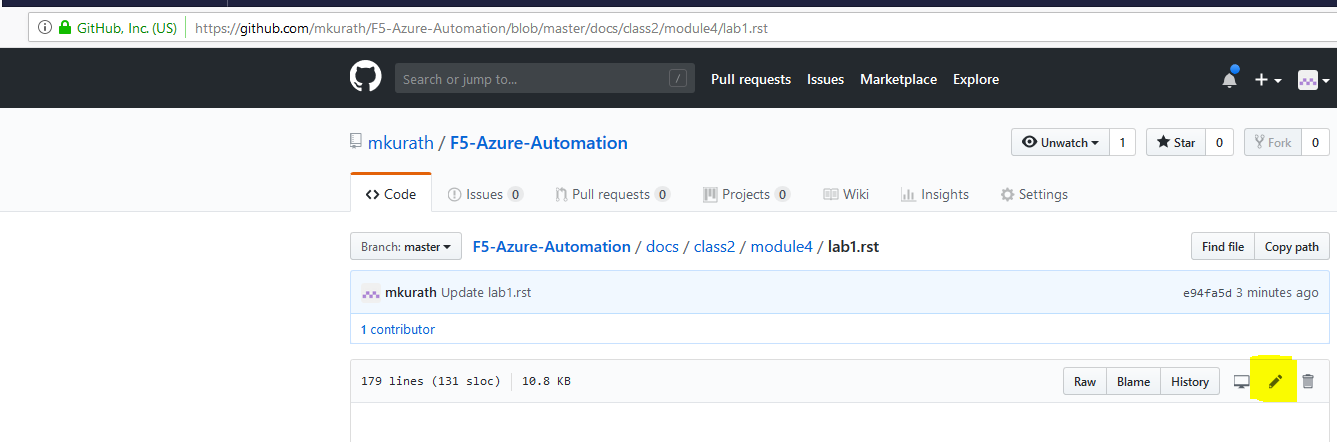
Access the github editor by selecting the higlighted “pencil” icon
This section shows basic formatting. Note the importance of spaces and blank lines
- underlining text with == makes a bold title line
- underlining text with – makes a bold subtitle title line
- placing ** before and after text will create bold text sample bold text
- starting a line with #.<space> will create sequentially numbersd steps
- starting a line with <space><space><space>-<space> will give you bulleted text
Task 1 – Simple Format using numbering and 1 level of indentation
- This line started with #.<space>
- This line started with #.<space>. If you put a blank line under it, the bulleted items will be on seperate lines
- This line starts with <space><space><space>-<space> (3 spaces, hyphen, space)
- This line starts with <space><space><space>-<space> (3 spaces, hyphen, space)
- This line starts with <space><space><space>-<space> (3 spaces, hyphen, space)
- This line started with #.<space>. If you dont put a blank line under it, the bulleted items run together - This line starts with <space><space><space>-<space> - This line starts with <space><space><space>-<space> - This line starts with <space><space><space>-<space>
Task 2 – Multi Tier bulleted items–
This line started with #.<space>
This line started with #.<space>. If you put a blank line under it, the bulleted items will be on seperate lines
- This line starts with <space>-<space> (1 spaces, hyphen, space)
- This line starts with <space>-<space> (1 spaces, hyphen, space)
This line started with #.<space>. If you put a blank line under it, the bulleted items will be on seperate lines
- This line starts with <space>-<space> (1 spaces, hyphen, space)
- This line starts with <space>-<space> (2 spaces, hyphen, space)
- This line starts with <space>-<space> (2 spaces, hyphen, space)
- This line starts with <space>-<space> (1 spaces, hyphen, space) - This line starts with <space><space>-<space> (2 spaces, hyphen, space)
- This line starts with <space><space>-<space> (5 spaces, hyphen, space)
Task 2A – Multi Tier bulleted items–note increased Font size on the subtitle line
This line started with <space>#.<space>
This line started with <space>#.<space>. If you put a blank line under it, the bulleted items will be on seperate lines
- This line starts with <space><space><space><space><space>-<space> (4 spaces, hyphen, space)
- This line starts with <space><space><space><space><space>-<space> (4 spaces, hyphen, space)
This line started with <space>#.<space>. If you put a blank line under it, the bulleted items will be on seperate lines
- This line starts with <space><space><space><space>-<space> (4 spaces, hyphen, space)
- This line starts with <space><space><space><space><space>-<space> (5 spaces, hyphen, space)
- This line starts with <space><space><space><space><space>-<space> (5 spaces, hyphen, space)
- This line starts with <space><space><space><space>-<space> (4 spaces, hyphen, space)
- This line starts with <space><space><space><space><space>-<space> (5 spaces, hyphen, space)
- This line starts with <space><space><space><space><space>-<space> (5 spaces, hyphen, space)
Task 3 – Multi Tier bulleted items–How do I put in a Note
- This line started with #.<space>
Note
Notes are annotated by having the line above the text <period><preiod><space>NOTE<colon><colon>. A blank line must be included before and after the note. The NOTE function must be left justified and it will restart the numbering scheme in the section.
This line started with #.<space>. If you put a blank line under it, the bulleted items will be on seperate lines
- This line starts with <space><space><space><space><space>-<space> (4 spaces, hyphen, space)
- This line starts with <space><space><space><space><space>-<space> (4 spaces, hyphen, space)
Note
Notes are annotated by having the line above the text <period><preiod><space>NOTE<colon><colon>. A blank line must be included before and after the note
This line started with #.<space>. If you put a blank line under it, the bulleted items will be on seperate lines
- This line starts with <space><space><space><space>-<space> (4 spaces, hyphen, space)
- This line starts with <space><space><space><space><space>-<space> (5 spaces, hyphen, space)
- This line starts with <space><space><space><space><space>-<space> (5 spaces, hyphen, space)
- This line starts with <space><space><space><space>-<space> (4 spaces, hyphen, space)
- This line starts with <space><space><space><space><space>-<space> (5 spaces, hyphen, space)
- This line starts with <space><space><space><space><space>-<space> (5 spaces, hyphen, space)
Task 4 – Multi Tier bulleted items–How do I add a table
This line started with #.<space>
- In the example below the use of the “hyphen” - results in a normal collumn row. The title row can be highlighted by using the “equal sign” = .
- Notice that the overall numbering scheme is reset when the table is justified to the left. using 4 spaces in front of the table (like the 4 spaces the text is indented) allows the number scheme to work correctly
| Column Title 1 | Column Title 2 |
|---|---|
| Name | Combined-VDI-PCOIP |
| Destination Address/Mask | 192.168.3.157 |
| Service Port | 4172 |
| Configuration | |
| Prptocol | UDP |
| Source Address Translation | Auto Map |
| Access Policy | |
| Application Tunnels (Jave & Per-App VPN) | Enabled - Check Box |
This line started with #.<space>. If you put a blank line under it, the bulleted items will be on seperate lines
- This line starts with <space><space><space><space><space>-<space> (4 spaces, hyphen, space)
- This line starts with <space><space><space><space><space>-<space> (4 spaces, hyphen, space)
Column Title 1 Column Title 2 Name Combined-VDI-PCOIP Destination Address/Mask 192.168.3.157 Service Port 4172 Configuration Prptocol UDP Source Address Translation Auto Map Access Policy Application Tunnels (Jave & Per-App VPN) Enabled - Check Box This line started with #.<space>. If you put a blank line under it, the bulleted items will be on seperate lines
- This line starts with <space><space><space><space>-<space> (4 spaces, hyphen, space)
- This line starts with <space><space><space><space><space>-<space> (5 spaces, hyphen, space)
- This line starts with <space><space><space><space><space>-<space> (5 spaces, hyphen, space)
- This line starts with <space><space><space><space>-<space> (4 spaces, hyphen, space)
- This line starts with <space><space><space><space><space>-<space> (5 spaces, hyphen, space)
- This line starts with <space><space><space><space><space>-<space> (5 spaces, hyphen, space)
Task 5 – Multi Tier bulleted items–How do I add an image
- This line started with #.<space>
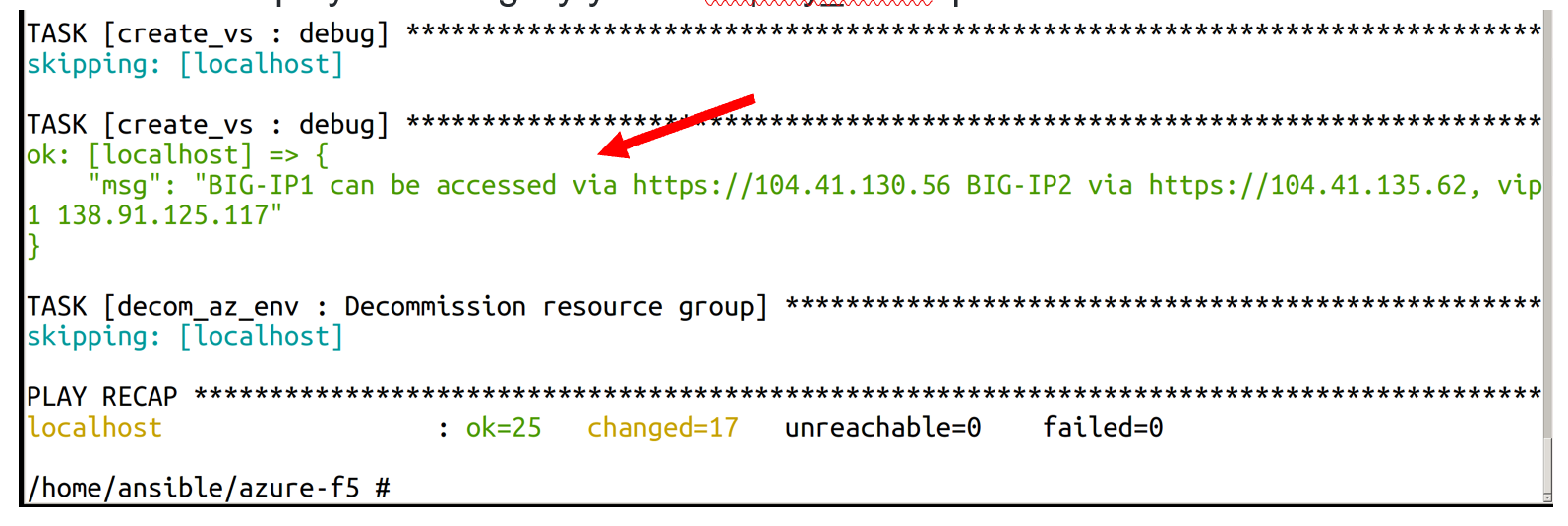
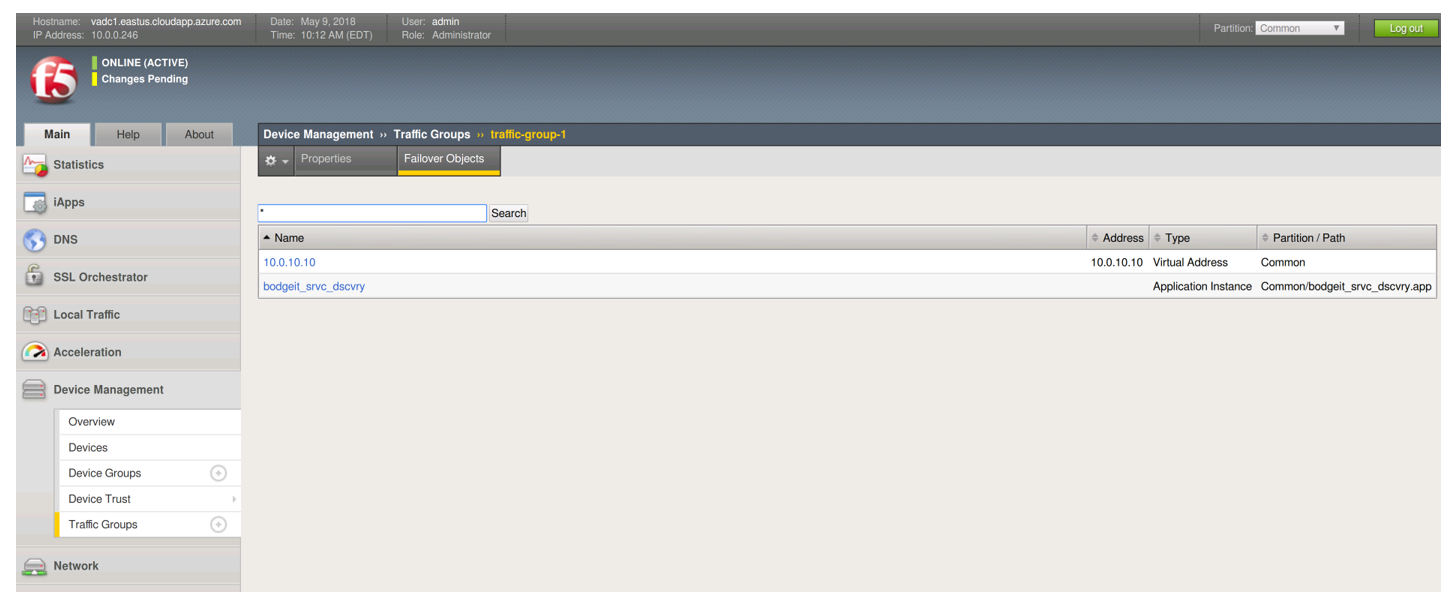
- Notice that the overall numbering scheme is reset when the image is justified to the left. Using 4 spaces in front of the image (like the 4 spaces the text is indented) allows the number scheme to work correctly
- Include a blank line above and below the image
- You must have a definition at the bottom of the text to size and link the image to static content
- An easy way to create images is to ue the snipping tool to capture and save the image as a png file. The image can then be uploaded to the static content part of the document structure
This line started with #.<space>. If you put a blank line under it, the bulleted items will be on seperate lines
- This line starts with <space><space><space><space><space>-<space> (4 spaces, hyphen, space)
- This line starts with <space><space><space><space><space>-<space> (4 spaces, hyphen, space)
This line started with #.<space>. If you put a blank line under it, the bulleted items will be on seperate lines
- This line starts with <space><space><space><space>-<space> (4 spaces, hyphen, space)
- This line starts with <space><space><space><space><space>-<space> (5 spaces, hyphen, space)
- This line starts with <space><space><space><space><space>-<space> (5 spaces, hyphen, space)
- This line starts with <space><space><space><space>-<space> (4 spaces, hyphen, space)
- This line starts with <space><space><space><space><space>-<space> (5 spaces, hyphen, space)
- This line starts with <space><space><space><space><space>-<space> (5 spaces, hyphen, space)